Introduction
Online dating can be exciting, but it also comes with its fair share of uncomfortable encounters. Whether someone is sending you unwanted messages, behaving inappropriately, or simply making you feel uneasy, you have every right to protect your peace — and Facebook Dating gives you the tools to do exactly that.
The block feature in Facebook Dating lets you remove someone from your dating experience quickly and discreetly, without affecting your broader Facebook connection with that person. It is one of the most important safety tools available on the platform, and knowing how to use it properly can make your dating experience significantly more comfortable and secure.
In this complete guide, we will walk you through everything you need to know about blocking someone on Facebook Dating — including step-by-step instructions, what happens after you block someone, how to view your blocked list, how to unblock someone, and answers to the most common questions users have about the feature.
What Is Facebook Dating?
Before diving in, a quick overview for those who are new to the feature. Facebook Dating is a free opt-in dating service built directly into the Facebook app. It is separate from your main Facebook profile — it has its own profile, its own matches, and its own messaging system.
Facebook Dating is available in many countries and is designed to help people find meaningful relationships using their existing Facebook network — without creating a separate dating app account. Because it operates within the Facebook ecosystem, it comes with a unique set of privacy and safety tools, including the ability to block specific users within Dating without affecting your connection to them on the main platform.
Why You Might Want to Block Someone on Facebook Dating
There are many valid reasons to block someone on Facebook Dating. You do not need to justify your decision — your comfort and safety always come first. Common reasons include:
- Receiving unwanted or inappropriate messages from a match or suggested profile
- Feeling harassed or pressured by someone you have been talking to
- Encountering a fake or suspicious profile that you believe may not be genuine
- Reconnecting with someone you know in real life who you would prefer not to interact with on Dating
- Changing your mind about a match and wanting to move on cleanly
- Accidentally liking someone you would prefer not to connect with
- Protecting your emotional wellbeing after an uncomfortable interaction
Whatever your reason, blocking is a normal, healthy tool — and Facebook Dating makes it straightforward to use.
What Happens When You Block Someone on Facebook Dating?
Understanding the consequences of blocking is important before you take action. Here is exactly what happens:
What the Blocked Person Loses Access To
- They cannot see your Facebook Dating profile
- They cannot send you messages through the Dating feature
- They will not appear as a suggested match for you, and you will not appear for them
- They cannot see you in Dating groups or events you have opened for suggested candidates
What Is NOT Affected
- Your regular Facebook friendship with that person remains intact (if you were friends)
- Your Facebook Messenger conversations with that person are unaffected
- They can still interact with your regular Facebook posts (unless you also block them on Facebook itself)
- You will not receive a notification that someone has blocked you — and neither will they
This separation is one of Facebook Dating’s most thoughtful design choices. Blocking someone in Dating does not cause awkwardness on the main platform, making it a low-stakes, private action you can take at any time.
Important Note: If you block someone on Facebook itself (the main app), they will be automatically blocked in Facebook Dating as well. However, blocking in Dating does not carry over to the main Facebook app.
How to Block Someone on Facebook Dating (Step-by-Step)
Method 1: Blocking from a Match’s Profile
This is the most common way to block someone — directly from their Dating profile during or after a conversation.
Step 1: Open the Facebook app on your mobile device (iOS or Android). Make sure you are logged into your account.
Step 2: Tap the menu icon (the three horizontal lines, sometimes called the hamburger menu) at the bottom right of your screen on iOS, or at the top right on Android.
Step 3: Scroll down and tap Dating to open the Facebook Dating section.
Step 4: Tap Matches at the top of the Dating screen to view your current matches and conversations.
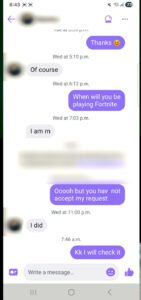
Step 5: Tap on the profile picture or name of the person you want to block. This opens their Dating profile.
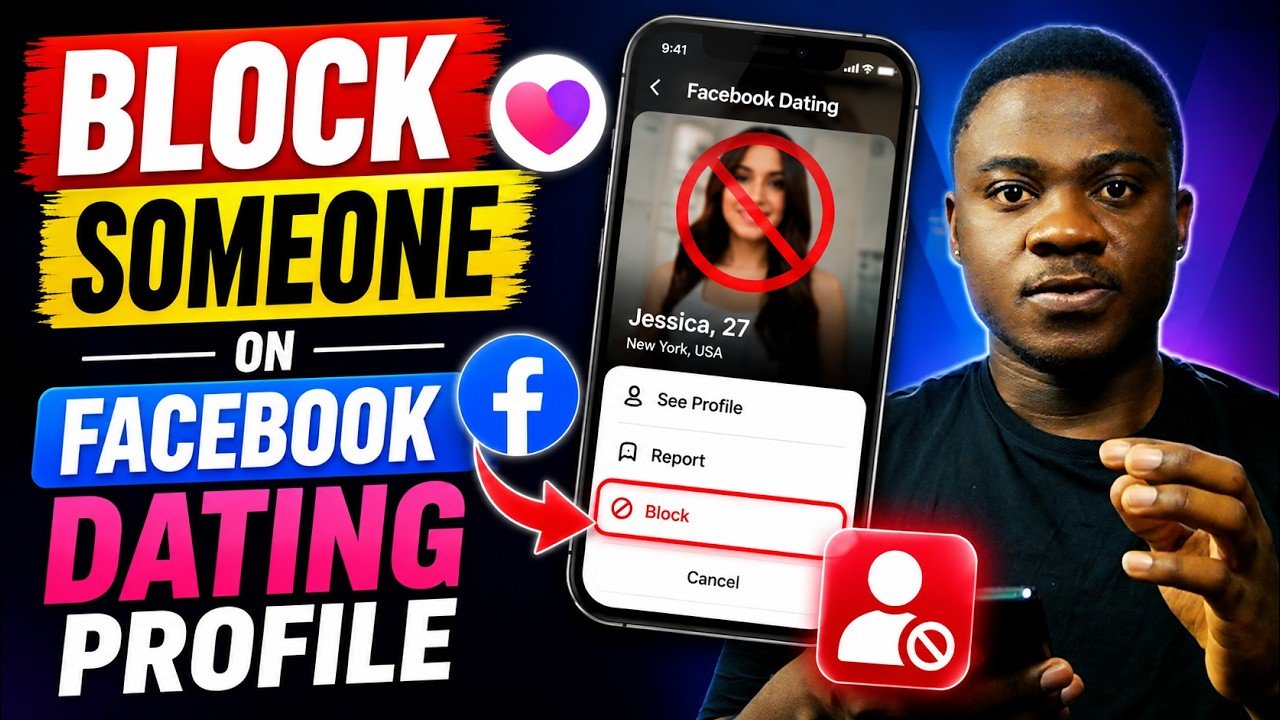
Step 6: Tap the three dots icon (⋮) in the top right corner of their profile screen.
Step 7: A menu will appear. Tap Block [Person’s Name] in Dating.
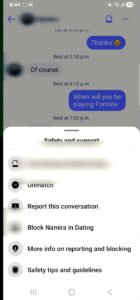
Step 8: A confirmation pop-up will appear, explaining what blocking means. Tap the Block button to confirm.
That is it. The person is now blocked in Facebook Dating. The action takes effect immediately and silently — they will not receive any notification.
Method 2: Blocking from a Suggested Profile (Before Matching)
You can also block someone before you have matched with them — for example, if their suggested profile makes you uncomfortable.
Step 1: Open the Facebook app and navigate to Dating.
Step 2: While browsing suggested profiles (the cards that appear for you to like or pass on), tap the profile of the person you want to block to expand it.
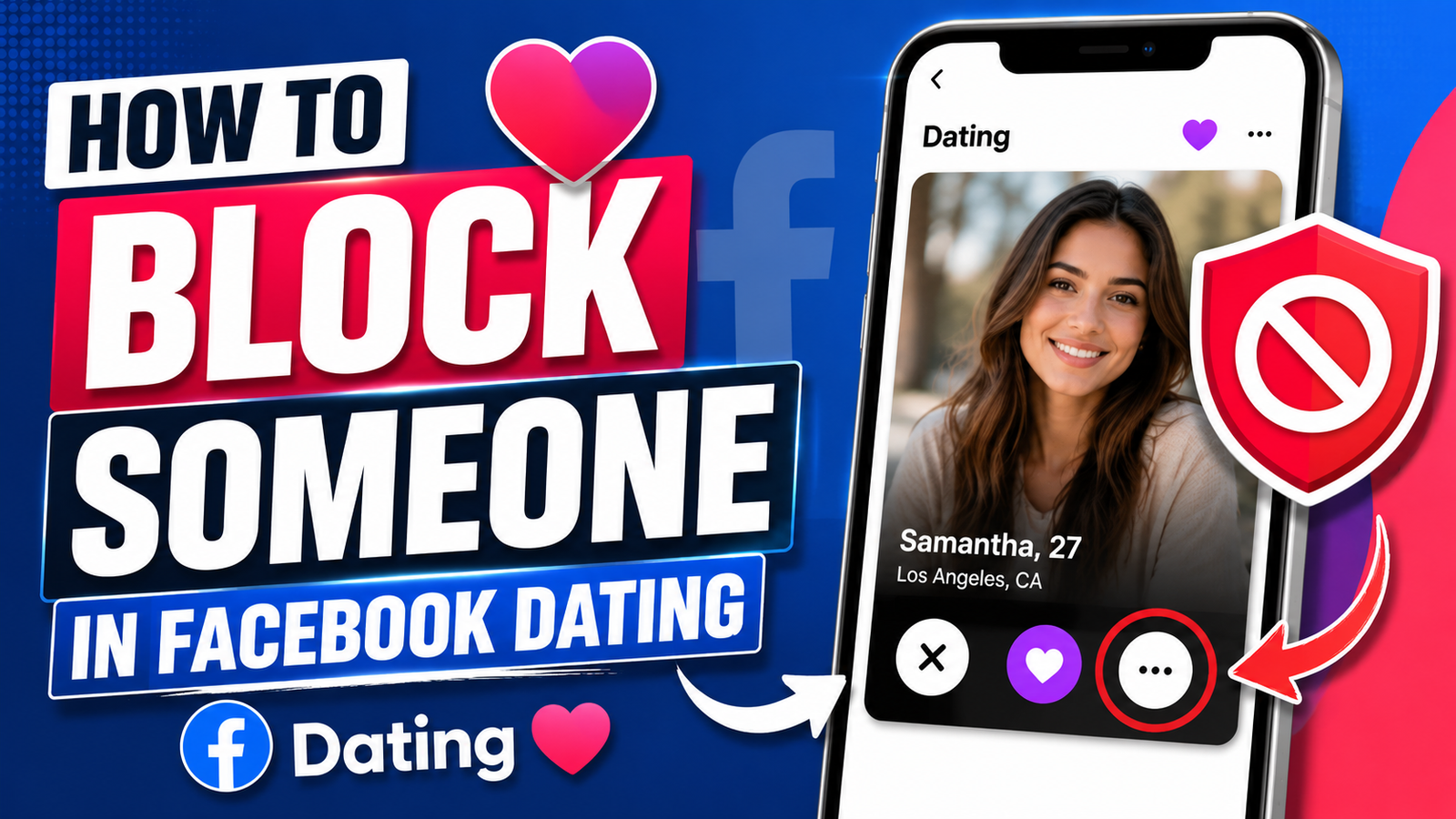
Step 3: Tap the three dots icon (⋮) in the top right corner of their profile.
Step 4: Select Block [Name] in Dating from the menu.
Step 5: Confirm by tapping Block.
This removes them from your suggested matches and prevents any future interaction.
Method 3: Blocking from the Dating Settings Menu
If you want to block someone but you have difficulty finding their profile, you can manage your blocked list through the Settings section.
Step 1: Open Facebook and go to Dating.
Step 2: Tap the Settings icon (gear/cog icon) in the top right corner of the Dating home screen.
Step 3: Tap General, then scroll down to Privacy Settings.
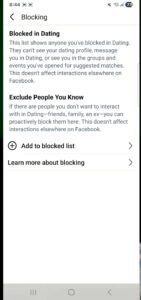
Step 4: Tap Block people in Dating.
Step 5: Here you will see a list of any previously blocked users. While this menu is primarily for viewing and unblocking, you can also use it to manage your blocked list.
How to View Your Blocked List in Facebook Dating
If you want to review who you have blocked on Facebook Dating, the process is simple:
Step 1: Open the Facebook app and go to Dating.
Step 2: Tap the Settings icon in the top right.
Step 3: Tap General.
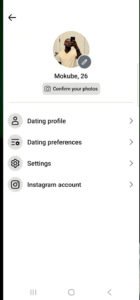
Step 4: Scroll down and tap Privacy Settings.
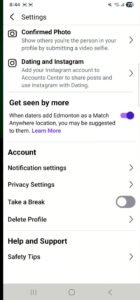
Step 5: Tap Block people in Dating.
You will now see a complete list of everyone you have blocked within the Dating feature. From here, you can also choose to unblock anyone on the list.
How to Unblock Someone on Facebook Dating
Changed your mind? Unblocking is just as easy as blocking, and the person will not be notified that they have been unblocked.
Step 1: Follow the steps above to navigate to your Blocked List in Facebook Dating Settings.
Step 2: Find the name of the person you want to unblock.
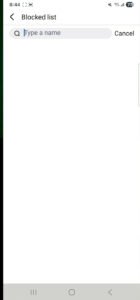
Step 3: Tap Unblock next to their name.
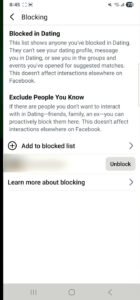
Step 4: Confirm by tapping Unblock in the pop-up that appears.
Once unblocked, the person may appear in your suggested matches again, and you may appear in theirs — though this is not guaranteed, as the matching algorithm takes many factors into account.
Note: Unblocking someone does not automatically restore a previous conversation or match. If you had an existing match before blocking, it will be gone.
How to Block Someone Who Blocked You First
If someone has blocked you in Facebook Dating, their profile will simply disappear from your matches and suggested profiles. You will not be notified, and you will not be able to find their Dating profile.
In this case, there is nothing to block — the person’s profile is already invisible to you. If they later unblock you and reappear, you can block them using any of the methods described above.
Blocking on Facebook Dating vs. Blocking on Facebook: What Is the Difference?
This is one of the most frequently asked questions about the feature, and it is worth clarifying clearly:
| Action | Facebook Dating | Main Facebook |
|---|---|---|
| Block in Dating only | Hidden in Dating | No change |
| Block on main Facebook | Automatically blocked in Dating | Fully blocked everywhere |
| Unblock in Dating | Restored in Dating | No change to main block |
| Unblock on main Facebook | Still blocked in Dating if blocked there separately | Fully unblocked |
In short: Dating blocks and Facebook blocks are separate, with one important exception — blocking on the main platform automatically carries into Dating. This design gives you fine-grained control over your experience.
Additional Privacy Tips for Facebook Dating
Blocking is just one tool in your Facebook Dating privacy toolkit. Here are several other settings and features worth knowing:
1. Control Who Can See Your Dating Profile
Facebook Dating gives you control over which of your Facebook friends can see that you are on Dating. By default, your Facebook friends and anyone you have blocked on Facebook will not appear as suggested matches — and you will not appear for them either.
2. Use the “Don’t Show Me People I Know” Option
In Dating Settings, you can adjust preferences to reduce the likelihood of being matched with people from your social circles — colleagues, acquaintances, or friends of friends.
3. Report Inappropriate Users
If someone is behaving in a threatening, abusive, or genuinely harmful way, blocking alone may not be enough. Facebook Dating has a Report feature alongside the Block option. Reporting sends information to Facebook’s trust and safety team, who can review and take action against the account if it violates community standards.
To report someone: tap the three dots (⋮) on their profile and select Report in addition to (or instead of) Block.
4. Share Your Location During a Date
Facebook Dating includes a Safety Check feature powered by Messenger, which lets you share your live location with a trusted friend or family member when meeting a match in person for the first time. It is a valuable safety measure worth using.
5. Keep Your Dating Profile Separate
Remember that your Facebook Dating profile is designed to be separate from your main profile. Your Dating activity, matches, and messages do not appear on your Facebook timeline and are not visible to your Facebook friends.
Common Questions About Blocking on Facebook Dating
Will the person know I blocked them?
No. Facebook Dating does not send any notification when you block someone. They will simply notice that your profile has disappeared from their matches or suggested profiles — if they notice at all.
Can I block someone before they message me?
Yes. You can block any suggested profile — even before matching or receiving a message — by tapping their profile and selecting Block from the three-dot menu.
If I block someone, can they still see my regular Facebook profile?
Yes, unless you also block them on the main Facebook platform. Blocking in Dating only affects the Dating feature. Your regular Facebook profile, posts, and stories remain visible to them as normal.
Can I block multiple people on Facebook Dating?
Yes. There is no stated limit on how many people you can block in Facebook Dating. Your full blocked list is always accessible and manageable through the Privacy Settings in the Dating section.
What happens to our conversation if I block someone I was chatting with?
Once you block someone, the Dating conversation thread is removed for both parties. They will no longer be able to see or access your previous conversation within Facebook Dating.
I accidentally blocked someone. How do I undo it?
Go to Dating > Settings > General > Privacy Settings > Block people in Dating, find their name, and tap Unblock. The unblock takes effect immediately.
Does blocking in Facebook Dating affect Facebook Marketplace or Groups?
No. A Dating block is limited to the Dating feature only. It does not affect interactions in Marketplace, Groups, Events, or any other Facebook feature.
Can someone I blocked still send me a friend request on Facebook?
Yes. Since the Dating block does not affect the main Facebook platform, someone you have blocked in Dating can still send you a friend request on Facebook. If you want to prevent all contact, you will need to block them on the main Facebook app as well.
When to Consider Blocking on the Main Facebook App Too
There are situations where a Dating block alone is not enough and you should consider blocking the person on Facebook proper:
- They are sending you messages through Facebook Messenger after being blocked in Dating
- They are commenting on or reacting to your regular Facebook posts in an unwanted way
- You feel genuinely unsafe or harassed and want to cut off all contact
- They are a stranger you met through Dating with whom you no longer want any connection
To block someone on the main Facebook app, go to their Facebook profile, tap the three dots, and select Block. This will also block them in Dating automatically.
Watch this