


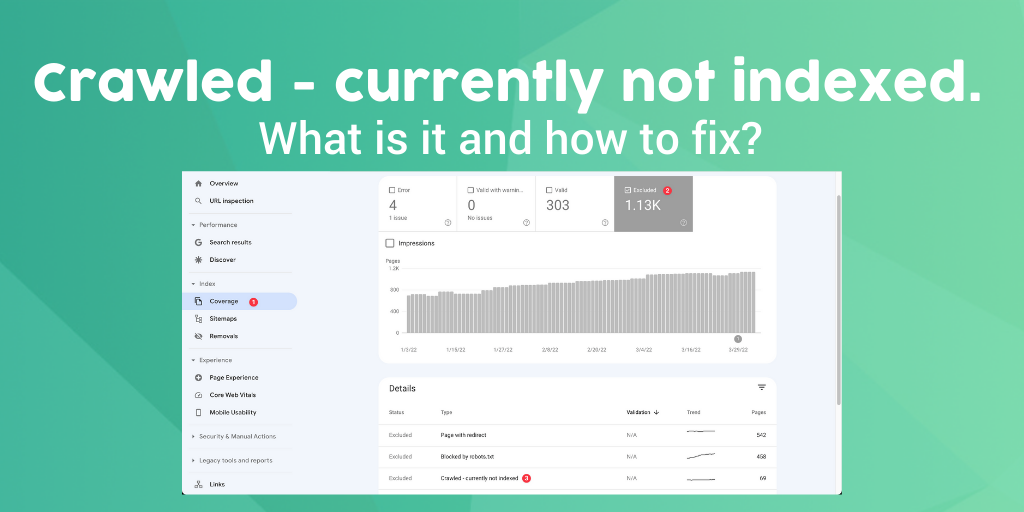
How to Fix “Crawled – Currently Not Indexed” in Google Search Console (Proven Methods That Worked for Me)
If you’ve noticed some of your pages showing the “Crawled – currently not indexed” status inside Google Search Console, don’t panic. This is one of the most common indexing issues affecting blogs, affiliate websites, and newer content sites.
I personally experienced this issue on Mokube Tech while publishing tutorials and tech-related articles. Some pages were crawled by Google but never appeared in search results for weeks.
After testing different fixes, improving article quality, and adjusting my internal linking structure, I noticed several pages finally started getting indexed.
In this guide, I’ll explain:
- what “Crawled – currently not indexed” actually means
- why it happens
- and the exact fixes that helped improve indexing on my website
What Does “Crawled – Currently Not Indexed” Mean?
This status means Google successfully visited your page but decided not to add it to the search index yet.
In simple terms:
- Google discovered the page
- Google crawled the page
- But Google did not think the page was valuable enough to include in search results at that moment
This is not usually a penalty. In many cases, it’s simply a content quality or website trust issue.
Why Pages Get “Crawled – Currently Not Indexed”
After analyzing several affected pages on my own site, I noticed a few common problems.
1. Thin or Weak Content
One major reason is low-value content.
Google may avoid indexing pages that:
- are too short
- repeat information found elsewhere
- lack original insights
- provide little value compared to competing pages
I noticed this especially on shorter tech news articles. Some of them were indexed very slowly until I expanded the content and added more useful information.
What Helped Me Fix It
For a few tutorial pages on Mokube Tech, I improved indexing after:
- adding screenshots
- rewriting generic introductions
- adding FAQ sections
- improving headings
- adding internal links
- removing repetitive paragraphs
One article stayed unindexed for almost 3 weeks. After updating the content and requesting reindexing, Google indexed the page a few days later.
That experience showed me how important content quality really is.
2. Poor Internal Linking
Google may ignore pages that are difficult to discover within your website.
Some of my pages had almost no internal links pointing to them, which likely made them appear less important.
What I Changed
I started linking newer articles from:
- older tutorial posts
- category pages
- homepage sections
- related tech guides
For example, when publishing Gmail tutorials, I linked them from:
- Google account tutorials
- YouTube tutorials
- troubleshooting articles
This helped Google better understand the relationship between pages on my site.
3. Duplicate or Repetitive Content
Another issue I discovered was repetitive wording across similar articles.
If multiple pages target nearly identical topics, Google may only index one version and ignore the others.
This commonly happens with:
- rewritten articles
- similar product reviews
- repetitive category pages
- short tech news updates
How I Reduced Duplicate Signals
I started:
- rewriting repetitive paragraphs
- adding personal opinions
- using different examples
- combining weaker articles into stronger guides
This made the content feel more original and useful.
4. Search Intent Problems
Sometimes the problem is not content length — it’s search intent.
For example:
- users searching for tools may want a quick solution
- users searching for tutorials may expect detailed step-by-step guides
Before creating new articles now, I usually check the first page of Google to see:
- article structure
- average content length
- image usage
- FAQ sections
- formatting style
That helps me create content that better matches what users actually want.
5. Weak Website Authority
Newer websites sometimes struggle with indexing because Google has not fully built trust in the domain yet.
When Mokube Tech was still growing, some pages took much longer to index compared to larger websites.
Over time, consistent publishing and better content quality improved this.
What Helped Build Trust
These improvements made a noticeable difference:
- publishing helpful tutorials consistently
- improving page speed
- reducing weak content
- improving mobile usability
- adding better navigation
- using original screenshots
Request Reindexing After Updating the Page
After improving your content:
- Open Google Search Console
- Use the URL Inspection tool
- Paste your page URL
- Click Request Indexing
Then wait for Google to recrawl the page.
Frequently Asked Questions
How long does indexing take?
It can take anywhere from a few hours to several weeks depending on your website authority and content quality.
Can thin content cause indexing problems?
Yes. Low-value or repetitive content is one of the biggest causes of indexing issues.
Does “Crawled – currently not indexed” mean a penalty?
Usually no. In most cases, Google simply does not think the page is strong enough yet.
Should I delete pages that are not indexed?
Not always. Sometimes improving the content is better than deleting the page entirely.
